How VPNs Enhance Security for Smart Home Devices
Discover how a VPN can significantly enhance the security of your smart home devices and protect your IoT privacy.
The Rise of Smart Home Technology
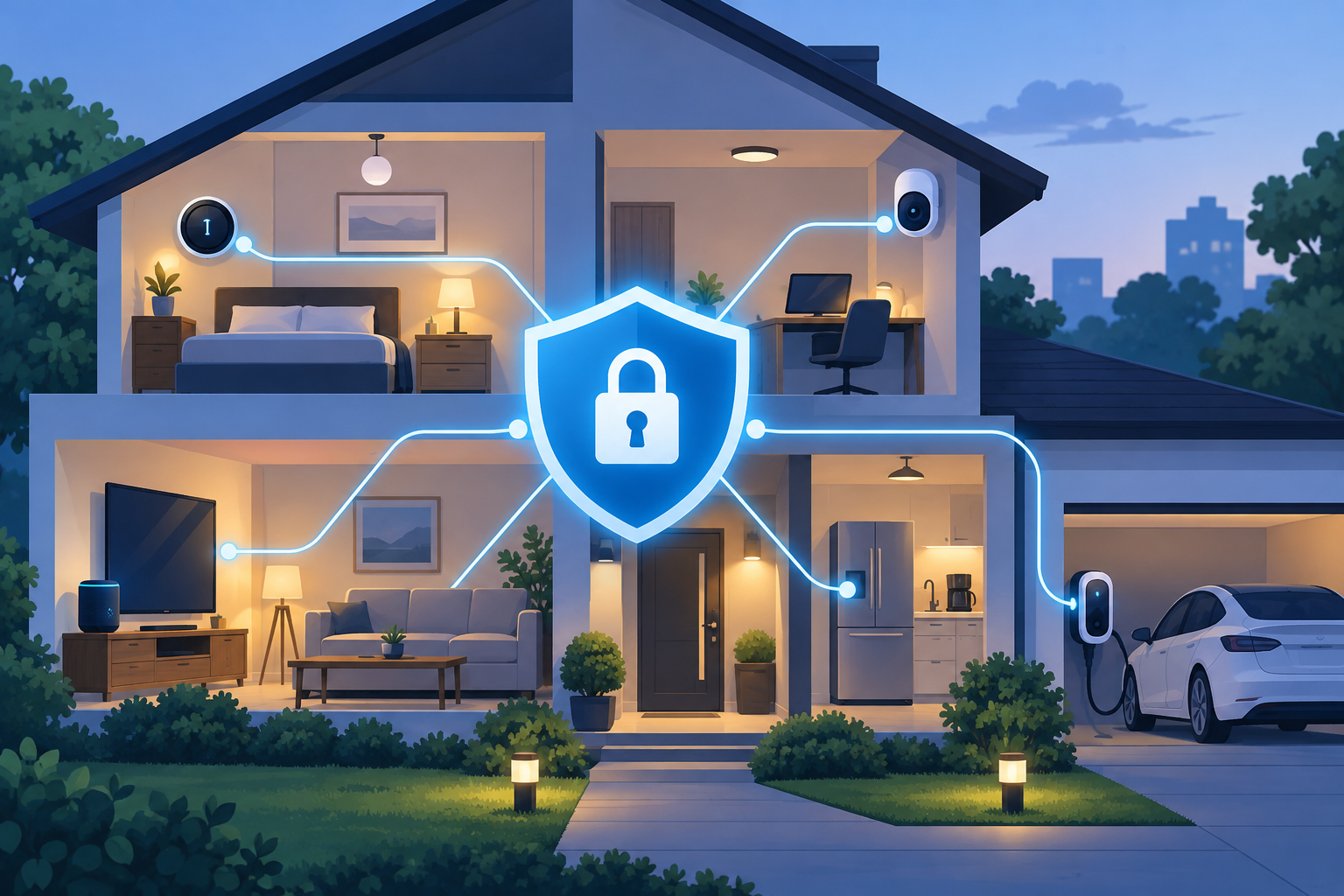
In recent years, smart home technology has gained immense popularity. The convenience and efficiency offered by smart devices have transformed the way we live. From smart thermostats and lights to security cameras and refrigerators, these connected devices enhance our lifestyle. However, with the rise of smart home technology comes a significant challenge: ensuring the security of these devices. Using a VPN for smart home devices can be an effective solution to safeguard your home network and protect your personal data.
The Growth of IoT Devices
The Internet of Things (IoT) has led to an explosion of connected devices in homes worldwide. According to various industry reports, millions of smart devices are now operational, creating a vast network that can improve daily life. However, this interconnectedness can also lead to vulnerabilities that cybercriminals may exploit.
Why Smart Devices Are Vulnerable to Attacks
Smart devices often lack the robust security measures found in traditional computing devices. Here are some reasons why they are particularly vulnerable:
1. Inadequate Security Protocols
Many smart devices come with basic security features, but they may not be sufficient to protect against sophisticated attacks. Often, manufacturers prioritize functionality over security, leaving devices open to exploitation.
2. Default Passwords
A large number of smart devices ship with default passwords that users often neglect to change. This creates an easy entry point for hackers who can gain access to the device and, consequently, the home network.
3. Unpatched Vulnerabilities
Some manufacturers may not regularly update their devices to address security vulnerabilities. As a result, outdated firmware can become a target for cyber attackers, exposing sensitive information.
4. Weaknesses in Wireless Protocols
Most smart home devices rely on Wi-Fi or Bluetooth for connectivity, both of which can be susceptible to interception. If these connections are not adequately secured, unauthorized users may gain access to your network.
How a VPN Can Secure Your Smart Home
A Virtual Private Network (VPN) encrypts your internet connection, making it significantly more difficult for hackers to intercept your data. Here’s how a VPN can enhance your smart home security:
1. Data Encryption
A VPN encrypts the data transmitted between your smart devices and the internet. This means even if someone intercepts your data, they will not be able to read it without the appropriate decryption key.
2. IP Address Masking
By using a VPN, your real IP address is hidden. This anonymity makes it harder for cybercriminals to target your devices directly, as they cannot easily determine your location.
3. Secure Remote Access
If you control your smart home devices remotely, a VPN adds an extra layer of security. It ensures that your connection to these devices is private and secure, reducing the risk of unauthorized access.
4. Protection Against ISP Tracking
Using a VPN prevents your Internet Service Provider (ISP) from monitoring your online activities. This adds another layer of privacy, which is especially important in a smart home environment where multiple devices are connected.
Setting Up a VPN for Your Smart Devices
Setting up a VPN for your smart home devices can be straightforward, but it requires careful planning. Here are some steps to follow:
1. Choose a Reliable VPN Provider
Select a VPN service that offers strong encryption, a no-logs policy, and good customer support. Make sure it is compatible with all the devices you plan to use.
2. Install VPN Software on Your Router
To protect all your smart devices, it’s best to install the VPN directly on your router. This way, every device connected to your network will benefit from the VPN’s security features.
3. Configure the VPN Settings
Follow the VPN provider’s guidelines to configure the settings appropriately. Ensure that the security protocols are set to the highest level to maximize protection.
4. Connect Your Smart Devices
Once the router is set up with the VPN, connect your smart devices to the network. They will now enjoy the security and privacy benefits of the VPN.
Best Practices for Smart Home Security
In addition to using a VPN, there are several best practices you can implement to further enhance your smart home security:
1. Change Default Passwords
Always change default passwords to strong, unique ones for each device. This simple step can significantly reduce the risk of unauthorized access.
2. Regularly Update Device Firmware
Keep your smart devices updated with the latest firmware. Manufacturers often release updates to fix security vulnerabilities, so staying current is essential.
3. Disable Unused Features
If certain features of your smart devices are not in use, disable them. This minimizes potential attack vectors that can be exploited by hackers.
4. Use Strong Wi-Fi Security
Secure your home Wi-Fi network with a strong password and WPA3 encryption if available. This adds an additional layer of protection against unauthorized access.
5. Monitor Device Activity
Regularly review the activity on your smart devices. Many devices offer logs of access and usage, which can help identify any suspicious behavior.
Conclusion: Protecting Your Connected Lifestyle
As smart home technology continues to evolve, so do the methods used by cybercriminals to exploit these devices. Utilizing a VPN for smart home devices is a proactive step in safeguarding your connected lifestyle. By encrypting your data, masking your IP address, and following best practices for security, you can significantly enhance the protection of your smart home. For more information on securing your online activities, check out IngenioVPN plans.
FAQs
- What is a VPN and how does it work?
A VPN, or Virtual Private Network, encrypts your internet connection, providing privacy and security by masking your IP address and protecting your data from potential hackers.
- Can I use a VPN on all my smart home devices?
Yes, you can use a VPN on all your smart home devices by installing the VPN software on your router, which will protect all connected devices.
- Will a VPN slow down my internet speed?
While using a VPN may slightly reduce your internet speed due to encryption, many reputable VPN providers offer fast connections that minimize this effect.
- Are there any downsides to using a VPN for smart devices?
The main downside is the potential for reduced speed, but the security benefits usually outweigh this concern. Additionally, some smart devices may not function properly with a VPN.
- What should I look for when choosing a VPN for smart home devices?
Look for features like strong encryption, a no-logs policy, compatibility with various devices, and reliable customer support.
- How often should I update my smart devices?
It’s recommended to check for updates at least once a month or whenever you receive notifications from the manufacturer regarding new firmware releases.
Related articles
The Connection Between VPNs and Cybersecurity Awareness
Explore the relationship between VPNs and cybersecurity awareness, and learn how to enhance your online safety through education and best practices.
VPNs for Digital Nomads: Staying Safe on the Move
Explore how VPNs can help digital nomads stay secure while traveling and working remotely.
The Role of VPNs in Complying with Data Protection Regulations
Explore how VPNs assist remote workers in meeting data protection regulations and ensuring compliance with data privacy laws.